Skills
A skill is a packaged instruction set an
agent can pull in when relevant — a “how to do X”
playbook outside its system prompt. It’s a SKILL.md Markdown file: YAML
frontmatter (name, one-sentence description of when to use it) followed by
the instructions.
The split matters: a system prompt is always-on; a skill loads on demand, keeping context lean but providing deep know-how on demand.
Skill vs agent vs tool
| Term | What it is | Analogy |
|---|---|---|
| Agent | The assistant you chat with — a model plus system prompt and settings. | Who does the work. |
| Skill | Packaged instructions the agent can pull in, or you can invoke by name. | A reference card the worker reaches for. |
| Tool | A concrete action the agent can take — read a file, run a command, read a skill. | The worker’s hands. |
The agent acts; a tool is something it does; a skill is knowledge it
consults. Reading a skill uses the read_skill tool, so the agent’s
tool policy controls skill access.
The anatomy of a skill
A skill is a folder containing a SKILL.md file:
skills/
  commit-helper/
    SKILL.md
    examples.md
SKILL.md has YAML frontmatter fenced by ---, then instructions:
---
name: commit-helper
description: Draft a Conventional Commit message from the staged diff. Use when the user asks for a commit message.
user-invocable: true
argument-hint: "[scope]"
---

# Commit helper

When asked for a commit message:

1. Inspect the staged diff.
2. Pick the Conventional Commit type.
3. Write a concise summary, then a short body explaining *why*.
Only description is required (name defaults to folder); everything else is
optional. The body can expand templating tokens when run ($ARGUMENTS, $N,
@@path, !`cmd`), making it dynamic.
Full field reference: Skill frontmatter & templating.
Authoring a skill in the app
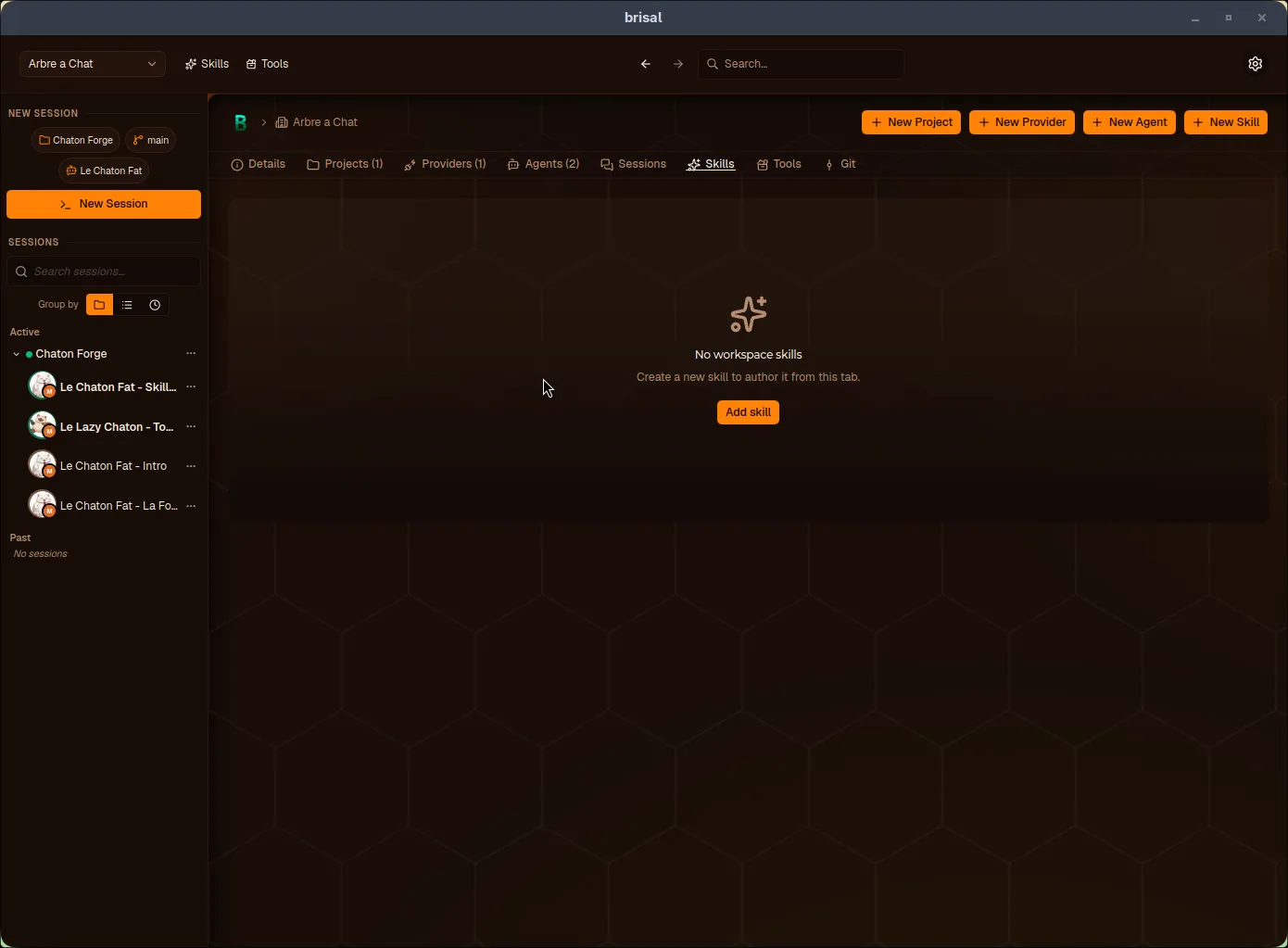
Each workspace has a Skills tab for authoring.
An empty workspace shows:
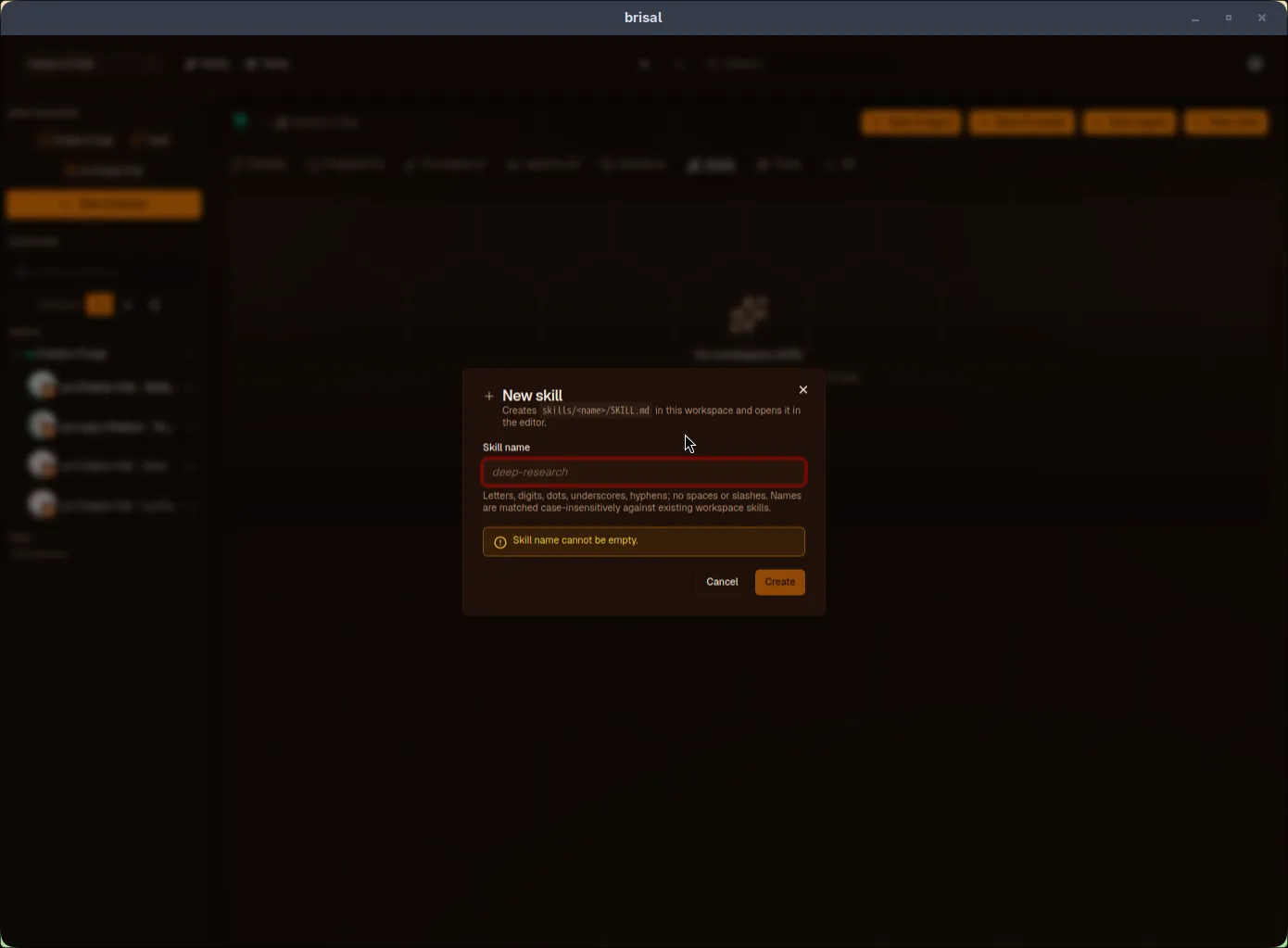
New Skill scaffolds the folder and SKILL.md:
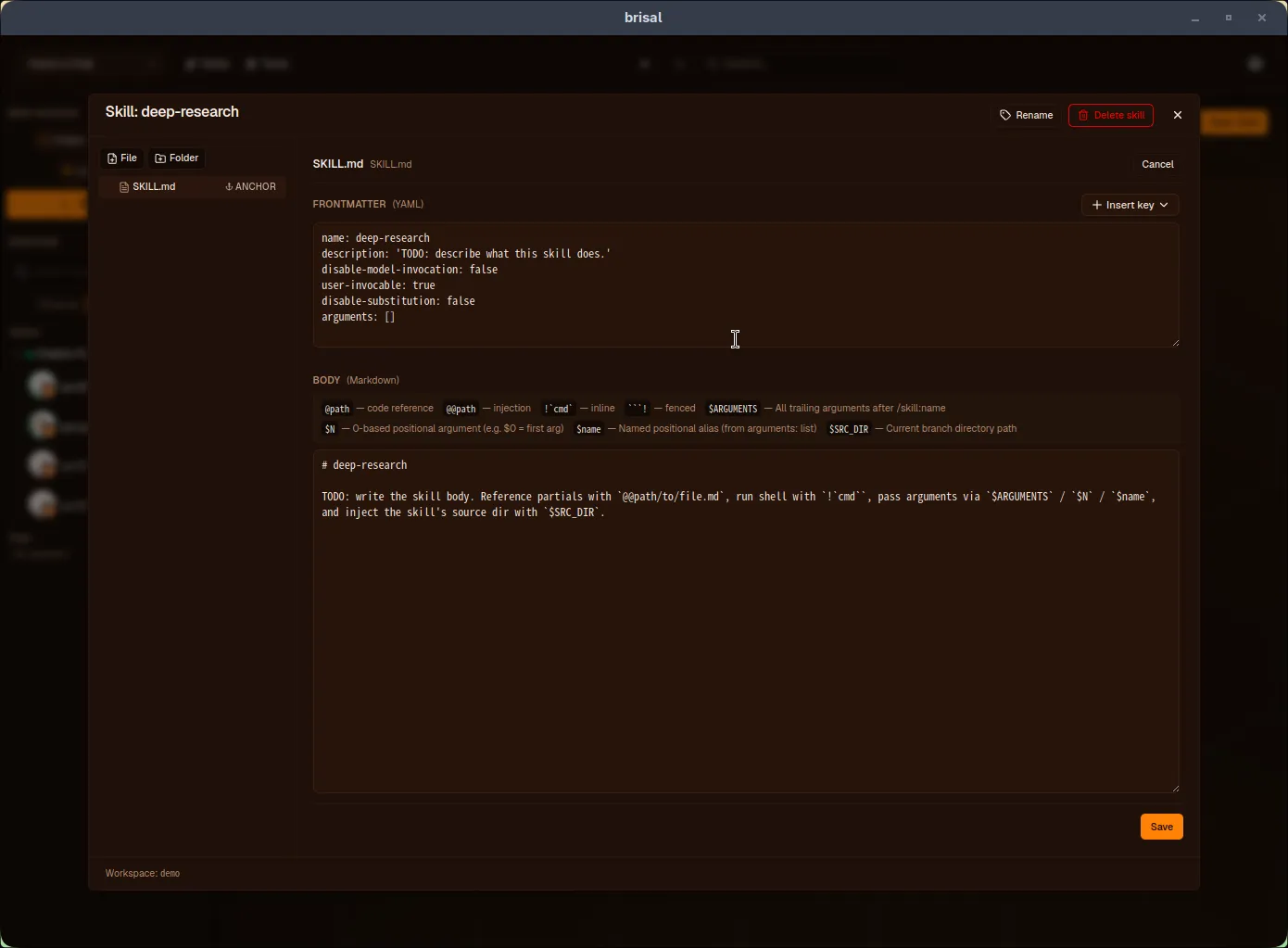
The editor splits into Frontmatter (YAML) and Body (Markdown) panes. Insert key adds recognized keys; the body legend documents templating tokens. File/Folder add partials; Rename, Delete skill, Save manage the skill.
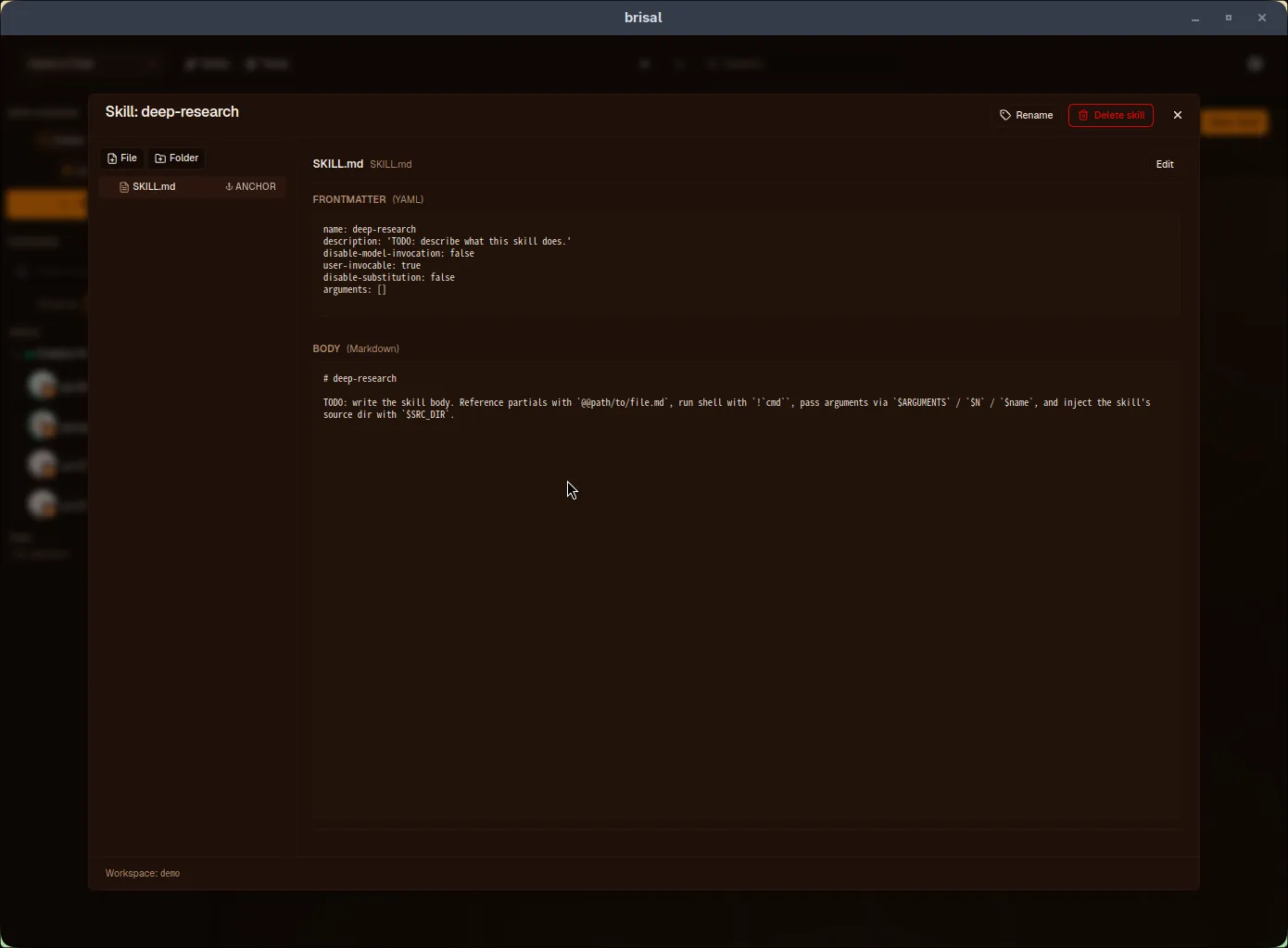
Saving switches to read-only view:
The four tiers
Skills belong to one of four tiers:
- Builtin — ships with Brisal; always on; home for bundled skills like
brisal-docs. - External — from
~/.agents/skills, shared across workspaces. Opt-in: enable from first-launch or Settings › Skills. - Workspace — owned by one workspace, shared within it. Authored from the Skills tab.
- Project — inside a project’s files. Trust-gated: load only after trusting the project.
Precedence
When the same skill exists in multiple tiers, the highest-precedence one wins:
project > workspace > external > builtinShadowed skills aren’t deleted — they’re hidden, and Brisal shows why.
Enabling External
External is the only tier with a global switch. Enable from first-launch or Settings › Skills. See External skills.
How a skill gets used
Two paths:
- Agent pulls it in. Visible skills’
descriptionis offered to the agent as a menu. When a task matches, the agent reads it viaread_skilland follows the body. Skills withdisable-model-invocation: trueare excluded. - You invoke it. Type
/skill:<name>in chat to run a skill, passing arguments that fill$ARGUMENTS/$N/$name. Onlyuser-invocable: trueskills (default) appear in the/picker;argument-hintshows as reminder.
Reading a skill is a tool call, so the agent’s tool policy controls automatic use.
Hidden and invalid skills {#hidden-and-invalid}
Brisal never silently drops a skill. It accounts for:
- Invalid — looks like a skill but failed to parse (missing
description, malformed YAML, illegal name). Shows with an INVALID badge and the error. - Hidden — discovered but inactive because a higher-precedence tier shadows
it or its
namedisagrees with its folder. Each entry explains why.
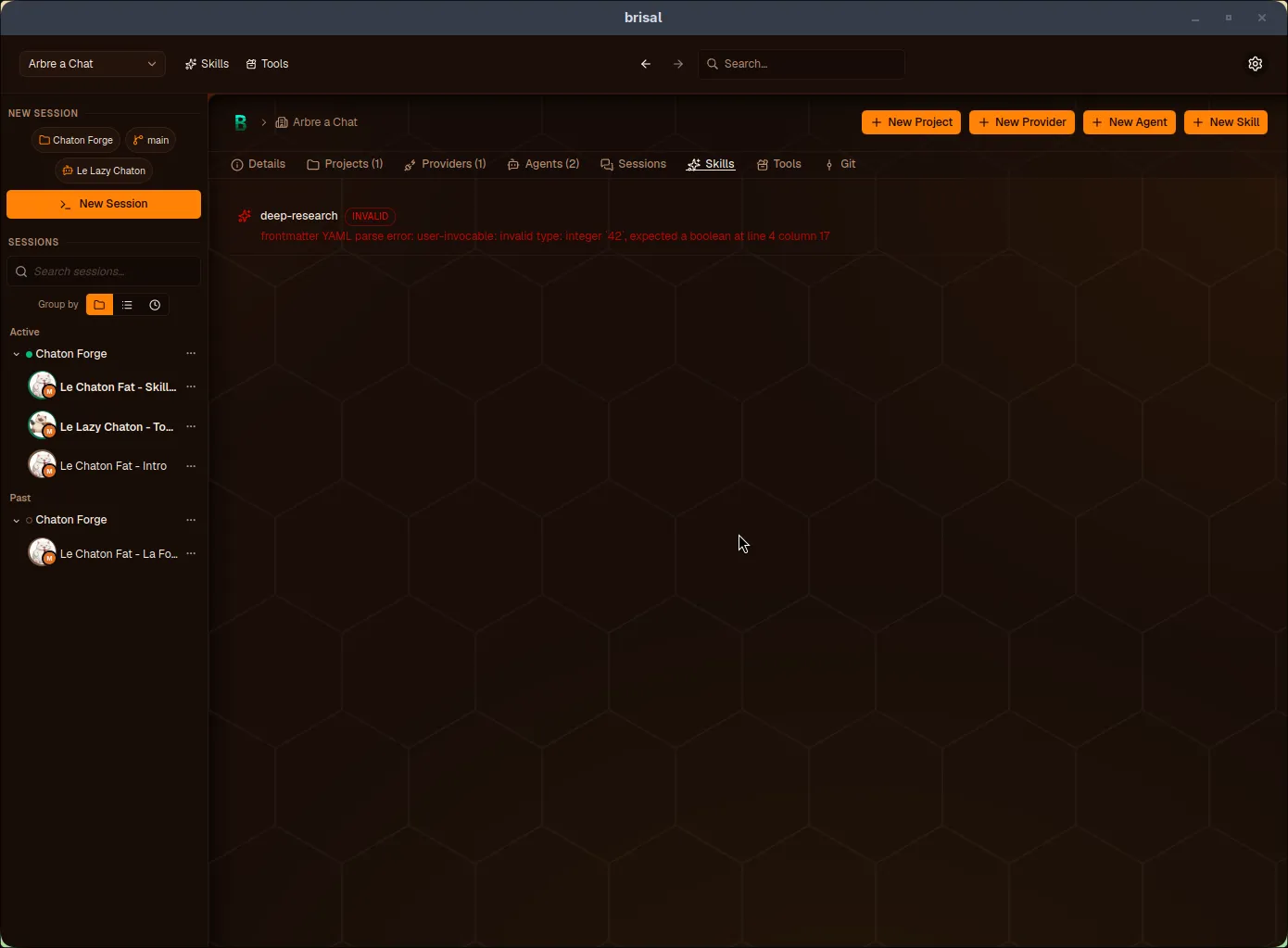
Invalid skills remain visible with their parse error.
What to read next
- External skills — opt-in tier sharing
~/.agents/skillsacross workspaces. - Agents — the assistant using skills, and the tool policy controlling access.
- Projects — how projects ship skills, and the trust gate protecting them.
- Sessions — where skills meet conversations,
and
/skillinvocation happens.