← Docs

Trust

Trust is the safety gate on each project. A project can ship its own skills and hooks — project-local instructions and scripts Brisal runs automatically at set points. That code runs as you, on your machine, so Brisal won’t touch it until you’ve said the project is trustworthy.

The rule is deny-by-default: a brand-new project is untrusted, and its project-local skills and hooks stay inert until you trust it. Nothing project-local is ever loaded behind your back.

Why it exists

Skills and hooks are convenience made of code. A hook can run a command every time a turn starts; a skill can hand the agent a procedure to follow. That’s powerful when it’s yours — and a liability when it rides in on a repository someone else wrote. Deny-by-default means opening an unfamiliar project can never silently run its authors’ automation. You see it’s there, and you decide.

Everything else in a project — reading files, chatting with an agent, running your own commands — works untrusted. Trust gates exactly one thing: whether the project’s own skills and hooks load.

The trust banner

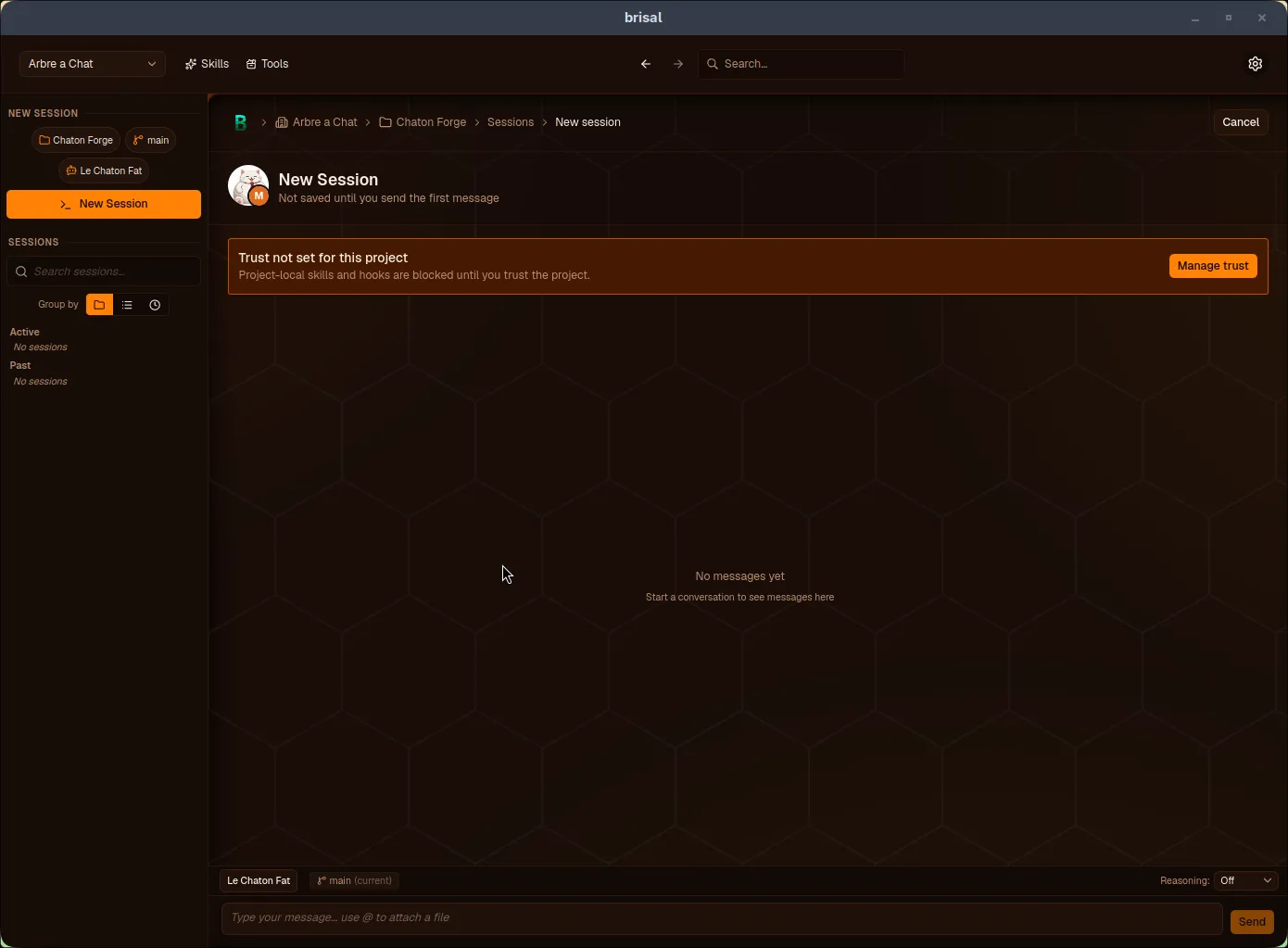
When you open a project that hasn’t been trusted, an amber banner sits at the top of its detail and session views:

Brisal's New Session view. An amber banner reads "Trust not set for this project — Project-local skills and hooks are blocked until you trust the project," with a "Manage trust" button on the right. Below it the empty session transcript reads "No messages yet."

The “Trust not set” banner. Until you press Manage trust and decide, the project’s own skills and hooks stay blocked — right inside the chat, so you can resolve it without leaving.

Managing trust

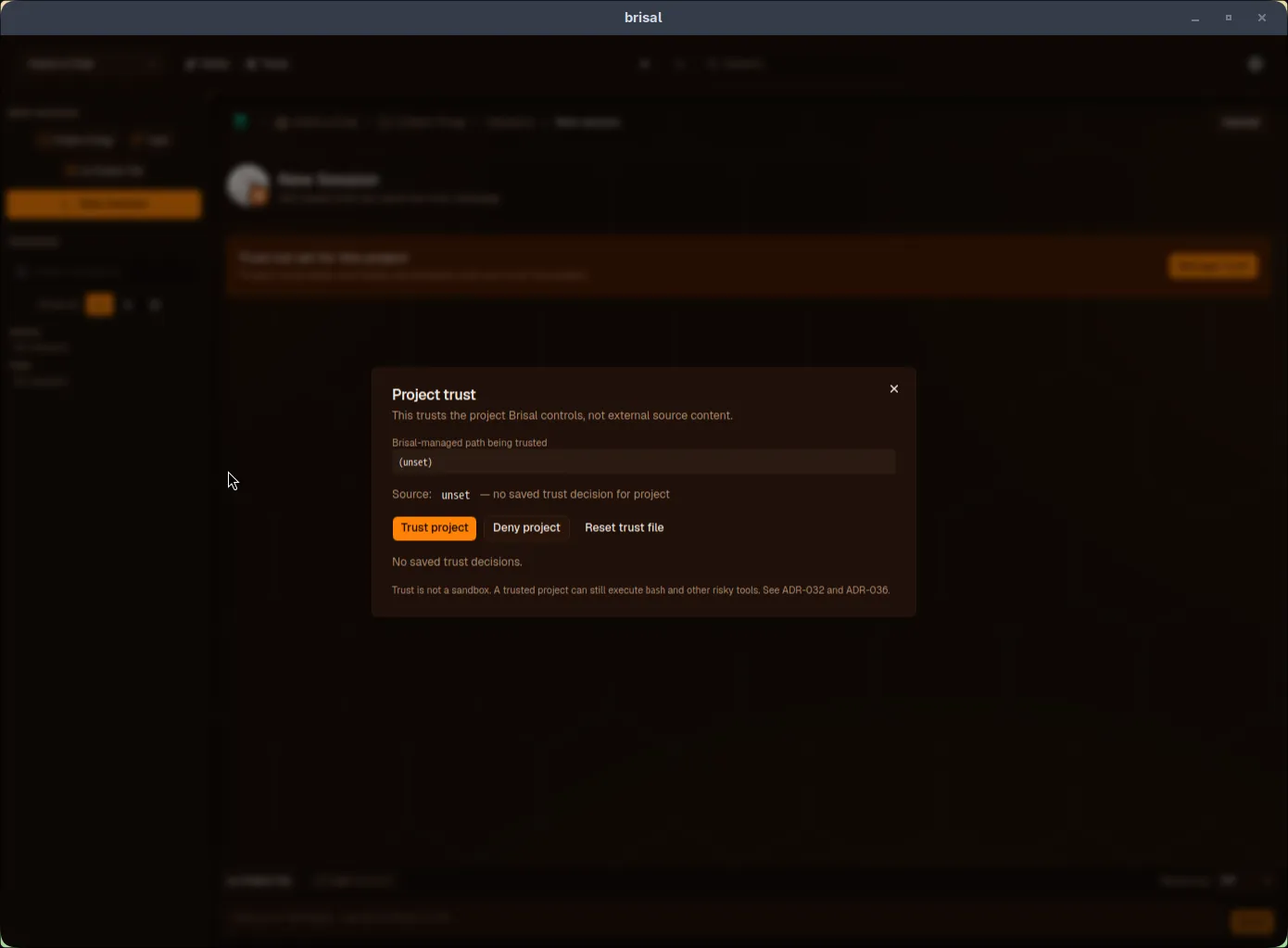
Pressing Manage trust opens the trust dialog:

The Project trust dialog. A note reads "This trusts the project Brisal controls, not external source content." A "Brisal-managed path being trusted" field shows "(unset)," and a line reads "Source: unset — no saved trust decision for project." Three buttons follow: "Trust project" (highlighted), "Deny project," and "Reset trust file," above "No saved trust decisions." A footnote reads "Trust is not a sandbox. A trusted project can still execute bash and other risky tools."

From here you can:

  • Trust project — allow this project’s skills and hooks to load.
  • Deny project — explicitly keep them blocked. Same effect as never deciding, but recorded on purpose, so a teammate (or future you) sees it was deliberate.
  • Reset trust file — wipe the project’s stored decisions entirely, to recover if the trust record is ever corrupted.

Each decision is saved, so you decide once and Brisal remembers. The dialog shows the current source of the decision — whether it came from a saved project-level choice, a worktree-level one, or is still unset. Once you trust the project, the banner disappears and its skills and hooks become available to its sessions.

  • Projects — the thing trust guards, and where a project’s own skills and hooks come from.
  • Skills — project-scoped skills are the main thing the trust gate holds back until you approve.
  • Sessions — where you’ll most often meet the trust banner, and resolve it.