In-app help
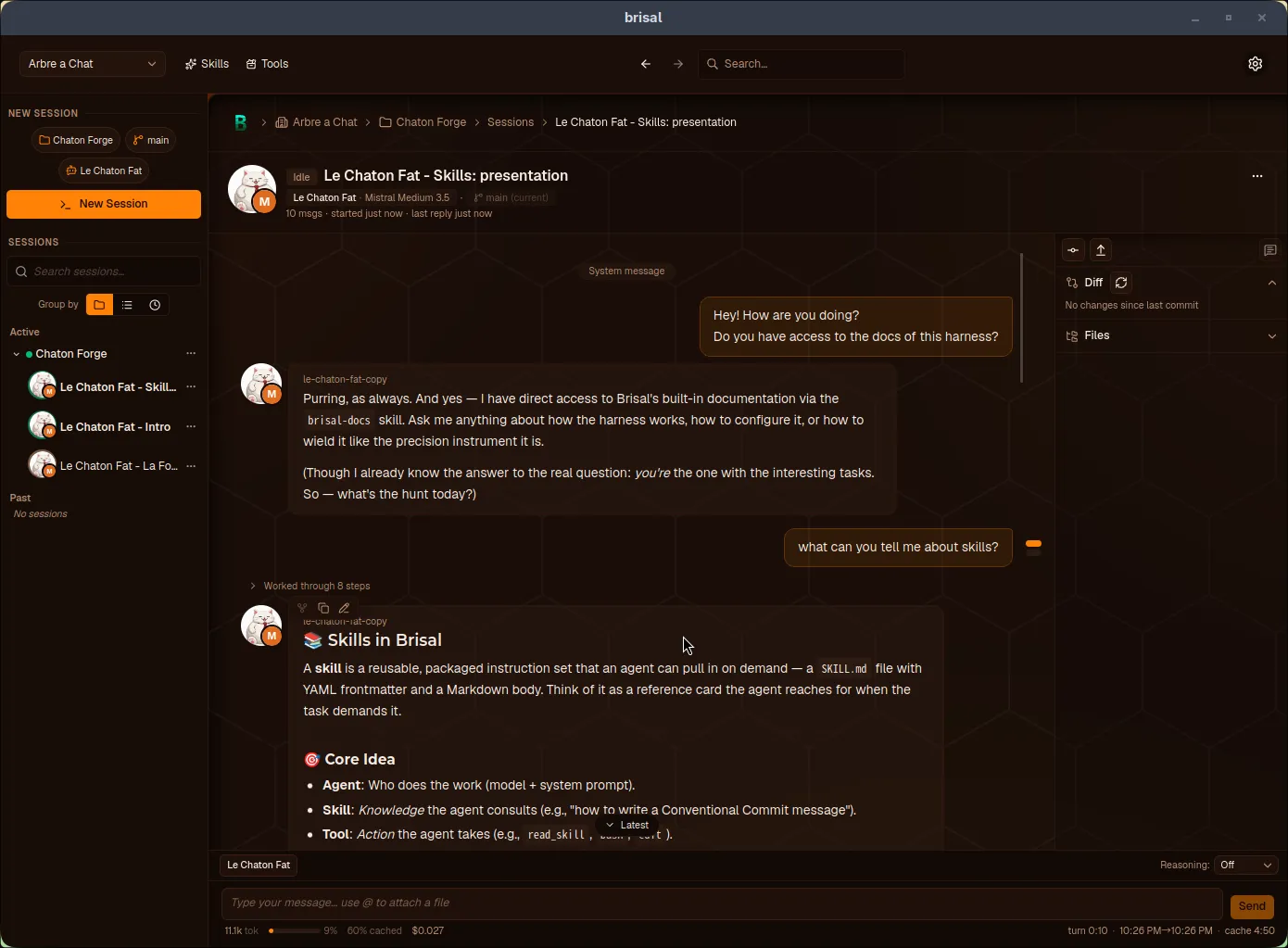
You don’t have to leave Brisal to read these docs. The agent you chat with can answer questions about Brisal itself — “how do I connect a provider?”, “what is trust?”, “where do keybindings live?” — by reading this same documentation and answering from what it says, rather than guessing.
This is powered by brisal-docs, a skill that ships
inside the app. The docs you’re reading are the skill: the corpus builds this
website and packages as the skill the in-app agent consults.
How to use it
There are two ways in, the same two paths any skill takes:
- Just ask. Ask a “how do I …?” or “what is …?” question about Brisal in any session and the agent pulls the skill in on its own, finds the right page, and answers from it.
- Point it at a topic. Type
/skill:brisal-docsin the composer — optionally with a topic, e.g./skill:brisal-docs providers— to invoke it directly and send the agent straight to the matching page.
Either way the agent reads only the page (or pages) it needs, so asking for help stays cheap on context.
What it covers
brisal-docs is an index over Brisal’s user-facing documentation — the
concept and reference pages in this corpus: workspaces, projects, providers,
models, agents, skills, sessions, trust, appearance, keyboard shortcuts, and
config files. Ask about any of those and it has a page to point at.
It does not cover Brisal’s internal implementation — it’s the same material as this website, no more. If a question falls outside the corpus, a well-behaved agent says so rather than inventing an answer.
Why it’s always available
brisal-docs lives in the Builtin tier:
it ships with Brisal, applies in every workspace,
and can’t be switched off. There’s nothing to install or enable — it’s there on a
fresh install.
Because reading a skill is a tool call,
the one thing that gates it is the agent’s tool policy:
an agent restricted away from its read_skill tool can’t consult the docs on its
own. Most agents can.