A desktop workbench for your coding agents.
Bring agent work into one place: workspaces, persistent sessions, line-by-line annotations, parallel delegation, and repeatable workflows.
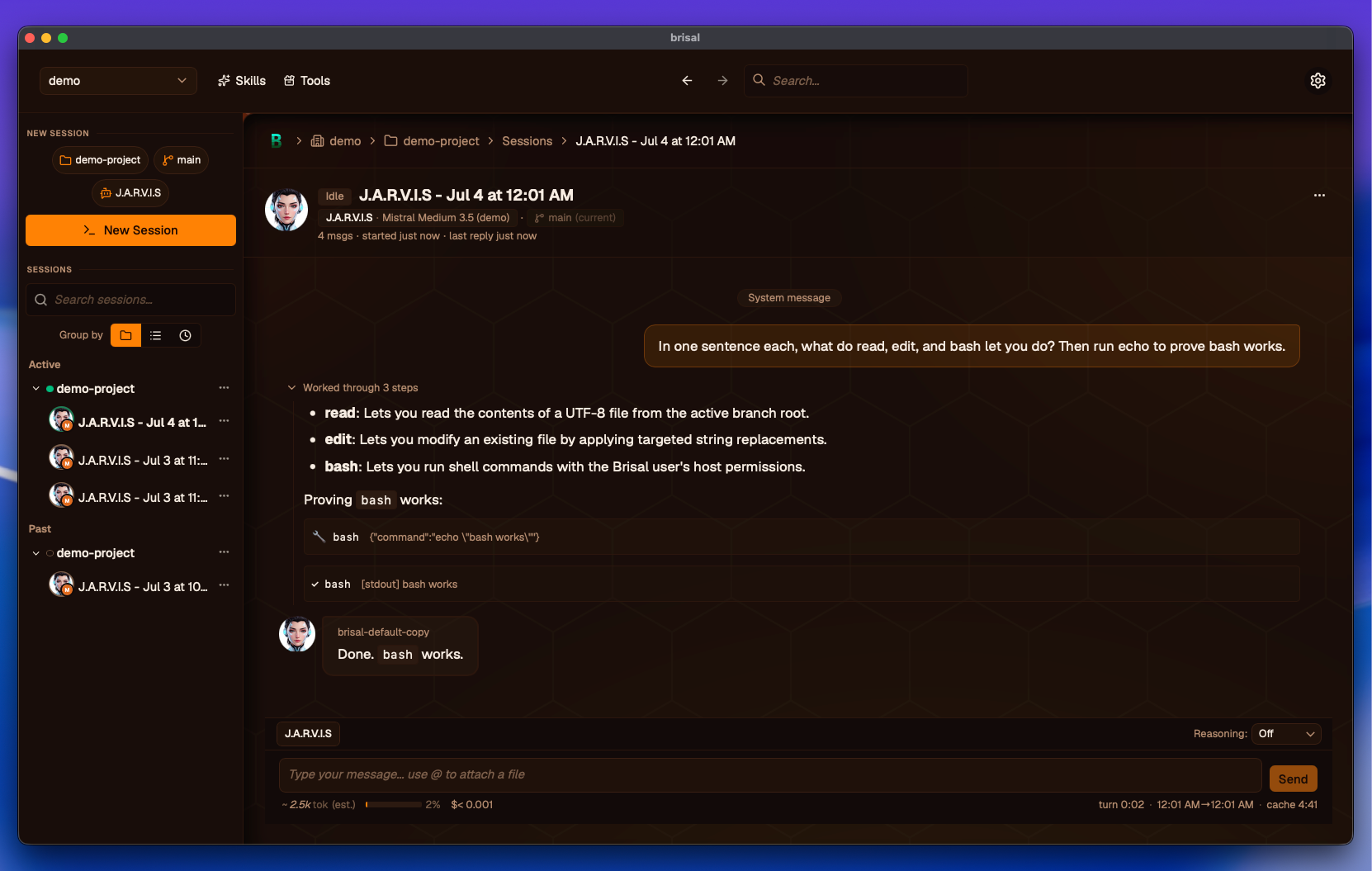
Real agent work — persistent sessions, a live transcript, changed files, and subagent controls in one workspace. Try the palette switcher and light/dark toggle above: this site is themed by the same token files as the app.
Annotate, don’t re-explain
Reply to an agent line by line — tag a line Question, Edit, Note, or Remove. Surgical feedback a small model can act on, instead of burning tokens re-describing what you meant.
Delegate work, watch the tree
An agent hands scoped tasks to subagents that run in parallel, then reasons over their results — you see the whole tree and stay in control.
Branches as worktrees
Every session binds to a worktree — create, switch, diff, merge, and rebase from the Worktrees tab, with conflicts resolved in place.
Still early
Brisal is a side project built by one person. I turn my exploration of AI and coding agents into practical tools for focused sessions, precise feedback, parallel work, and repeatable workflows.
The goal is an approachable workbench for a focused conversation, with the depth and control power users expect for serious agent orchestration. It grows around the rest of my life, so expect rough edges and breaking changes.